Lumion

Render sharper, faster: using the AI upscaler in Lumion Cloud

How to boost visual quality at the touch of a button
Upscale your renders’ impact

There’s a new addition in Lumion Cloud that’s designed to make your life easier—and your visuals sharper.

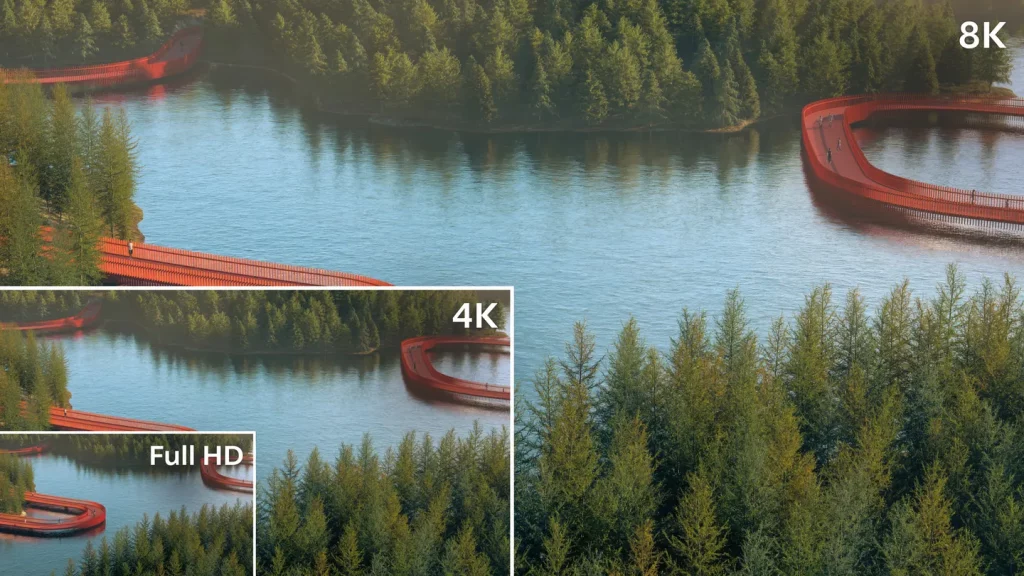
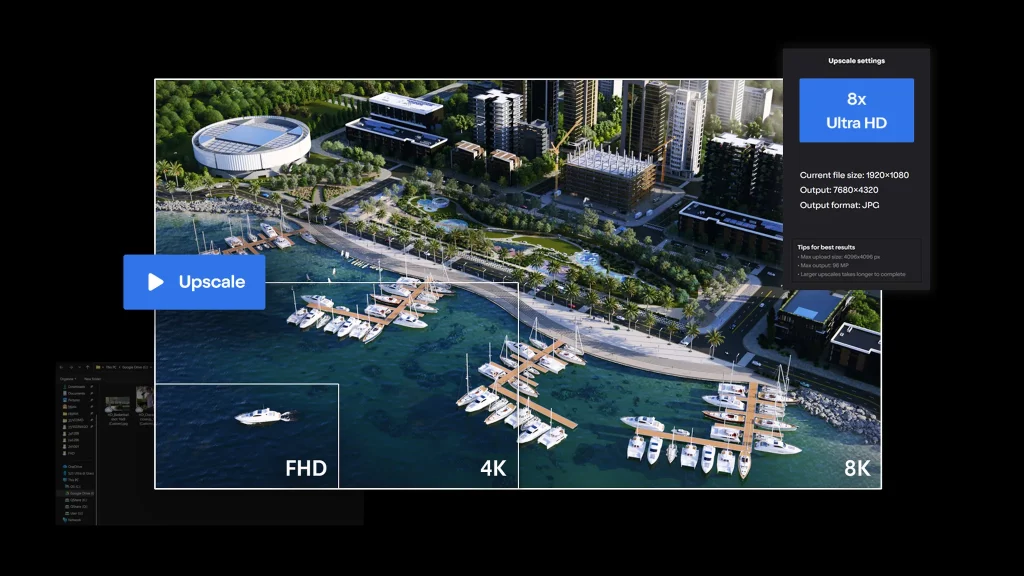
Introducing the AI upscaler. Built to improve rendering quality and optimize efficiency, this invaluable tool boosts the resolution of images in seconds, enabling ultra-fast, high-res outputs—without the need for any higher-end hardware.

In case you haven’t come across it yet, let us walk you through it—where you can find it, how to use it, and what it does best.
#1 Prepare your render

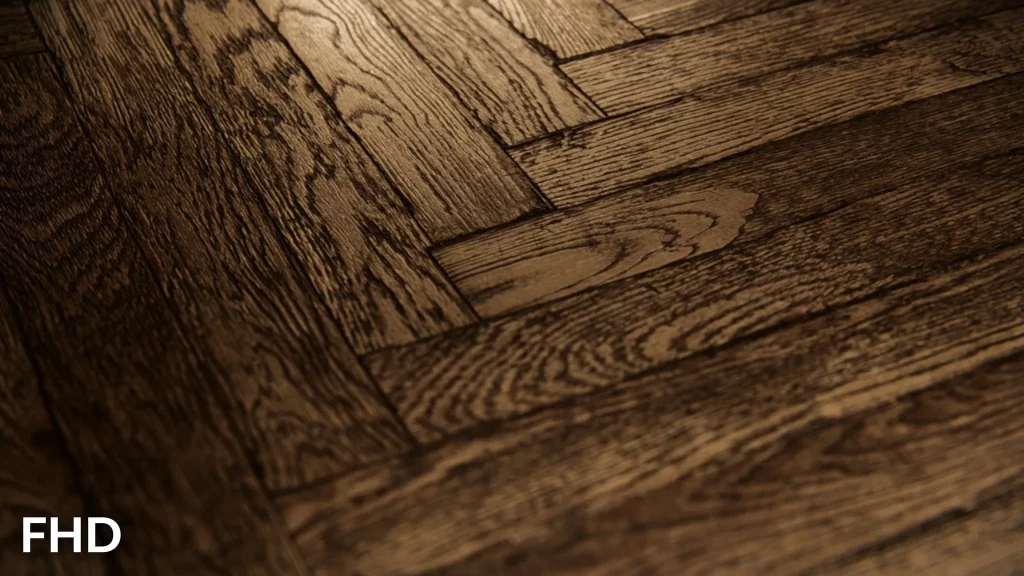
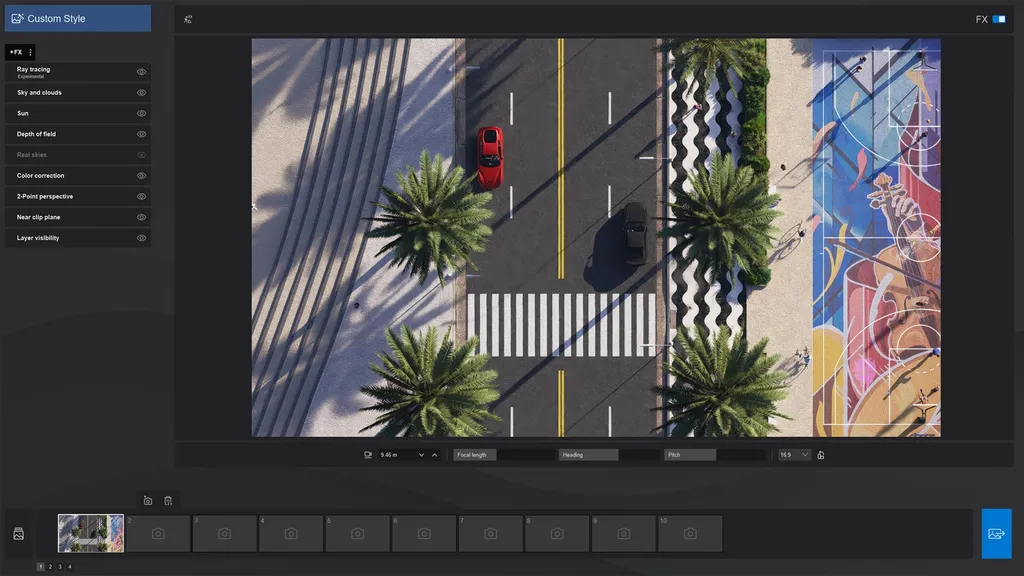
First thing’s first: start by completing your render—this can be in Lumion View or Pro, and an image of any resolution available.
#2 Send to Cloud

Once that’s done, flick on the Upload to Cloud toggle to send your image straight to the cloud.
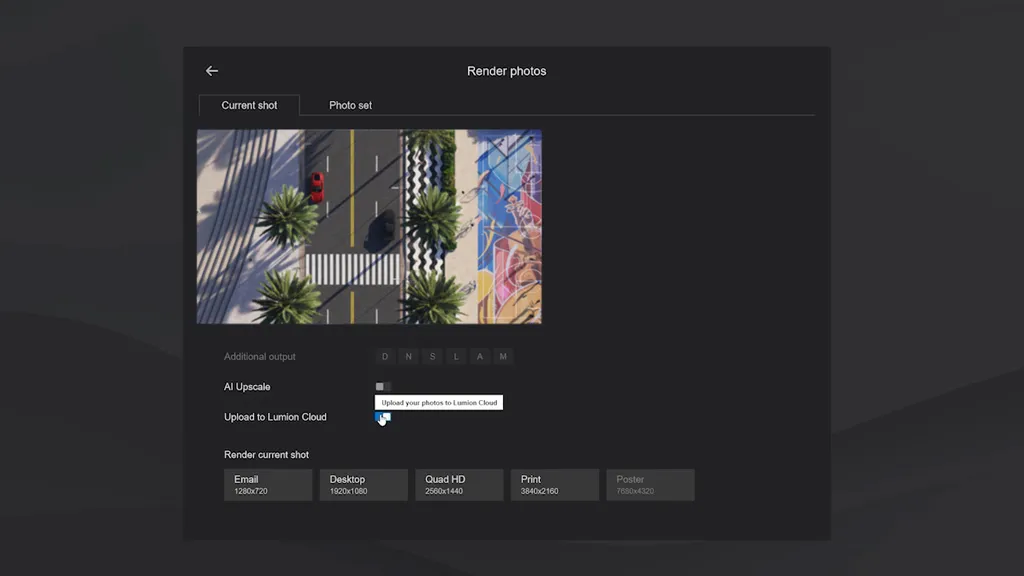
#3 Upscale

Time for the fun bit. The AI upscalerallows you to render still images at lower resolutions, using artificial intelligence to increase the final output resolution—significantly reducing rendering times and GPU load.

To take advantage, look for the new tab on the lefthand menu of Lumion Cloud: AI Upscaler.
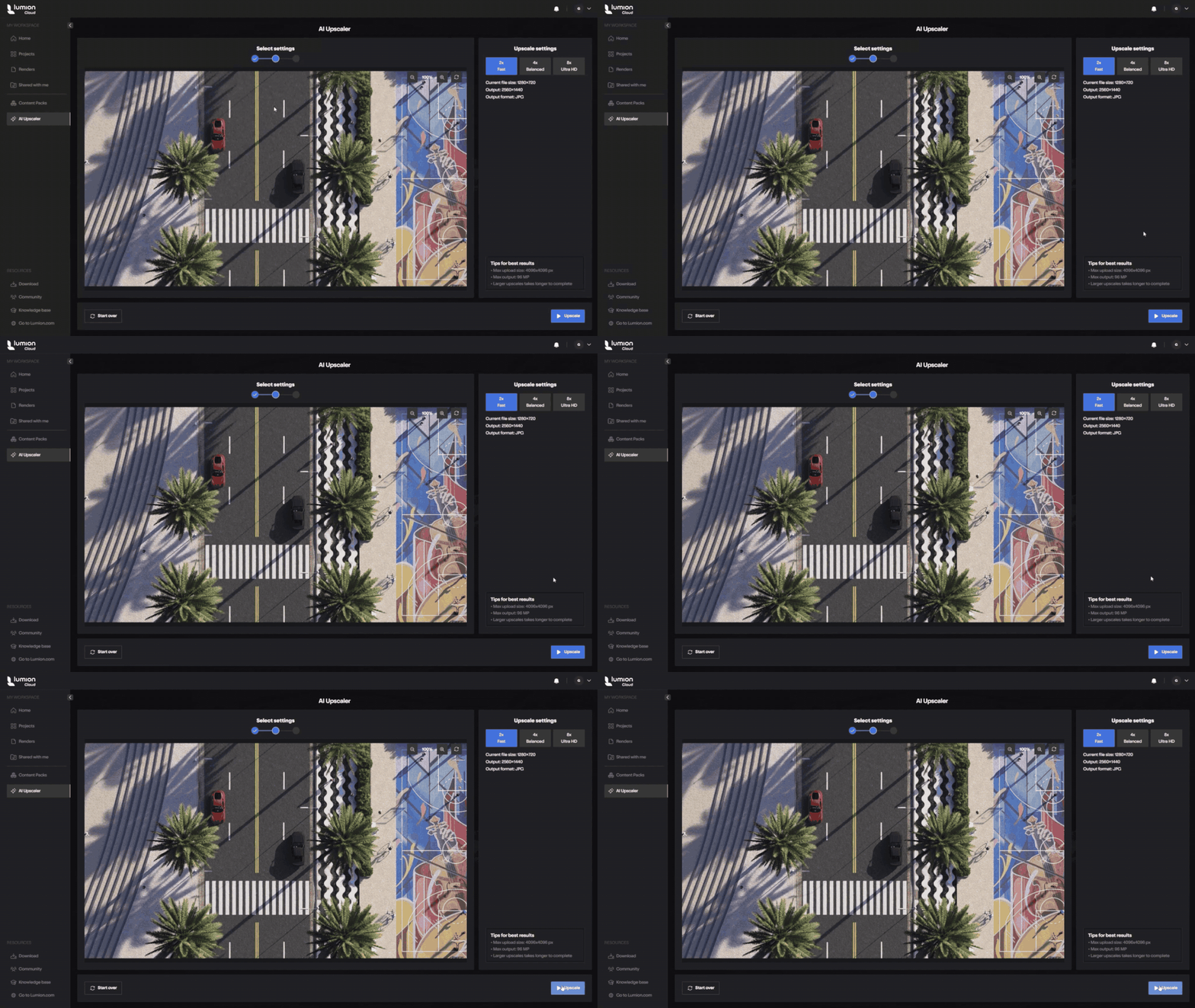
Go there, then click Browse local files to upload an image. Select the image you want to upscale, then let the tool work its magic—that’s all there is to it.

What can it do?

Here’s what you need to know about the new Cloud upscaler:

  • Fixed upscale options: 2×, 4×, 8×
  • Starting resolution: 1920×1080 (FHD)
  • Max output: 96 MP
  • Max upload size: 4096×4096 px

Why AI upscale?

AI upscaling is an ideal solution for the following reasons:

  • Improved performance: it’s especially useful on machines with less than 12GB of VRAM.
  • Higher resolution drafts: it allows faster iterations and testing in higher fidelity.
  • More efficient rendering: it’s significantly faster than native 4K ray-traced renders.
  • Better than traditional resizing: it prevents having to use third-party resizing methods.
  • Flexible output: it supports all of the available export resolutions.
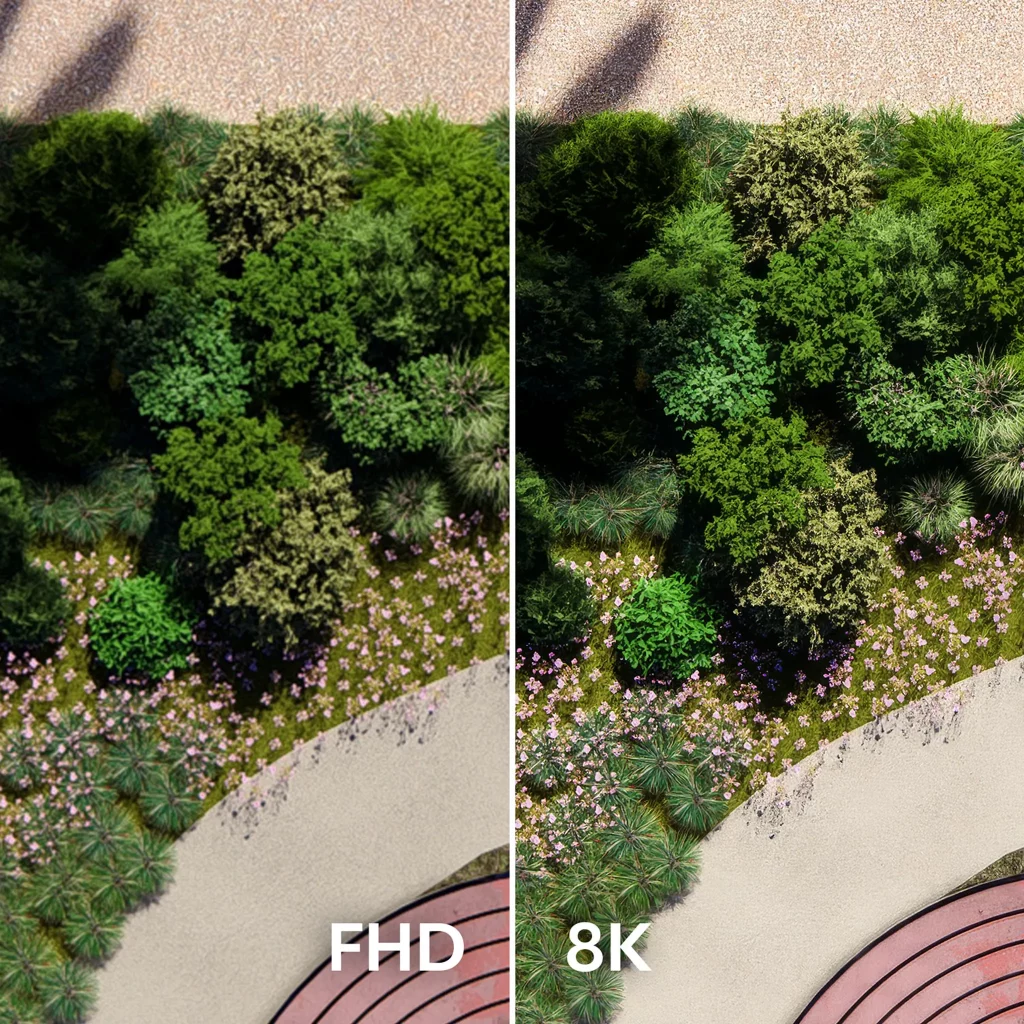
Upscale straight from any project

Looking for an easy shortcut to high-res visuals? You can also upscale directly from the images themselves when working in Cloud’s Projects tab.

Any image that qualifies for upscaling will also display a Use in AI Upscaler button in the top right-hand corner when viewing it from Projects.

Click that to go straight to the upscaler tool. You’ll see the same settings and upscale options, as well as a handy comparison view of both the original and upscaled versions of your image. Save a copy using the button below the image—as either a new variation of version—to jump straight back into your project and start collaborating on it

Time to try it!

So, that’s everything you need to know about AI upscaling in Lumion Cloud. Give it a go next time you’re in the software!

Subscribed to Lumion? You get free access to Lumion Cloud—start streamlining visual collaboration across teams and clients today.
Table of Contents

Lavabos modernos

Explora los nuevos fregaderos de acero inoxidable ahora disponibles en la Biblioteca Lumion.

Nuevos objetos y electrodomésticos

Combine fácilmente los nuevos objetos y electrodomésticos para crear elegantes diseños de cocina que se adapten a sus necesidades.

Estantes y menaje de cocina

Los nuevos objetos de cocina vienen en variedad de materiales (vidrio, porcelana, cerámica, madera y metal) brindándote mayores opciones para combinar y contrastar diferentes estilos y estéticas.

Iluminación Día Noche

Transfiera fácilmente de la luz natural a la artificial para transmitir diferentes estados de ánimo en diferentes momentos del día.

Lumion-Design
Lumion-Design01

Textures and decals

Easily change the texture of any surface, add road markings, or show imperfections with surface decals.

Materiales

Con miles de materiales de alta calidad, podrás encontrar fácilmente la textura adecuada para cada superficie exterior o importar las tuyas propias.

Nature items

Create beautifully accurate landscape designs with Lumion’s wide selection of fine-detail nature, small plants, flowers, weeds, shrubs, and more.

Reflections

Achieve greater realism with lifelike reflections that appear exactly where they would in real life.

Materials and textures

Add a touch of realism to your surfaces with thousands of high-quality materials. Choose the perfect stone, brick, or wood, customize its properties, or import your own textures.

Nature

Breathe life into your design with thousands of nature items, from the smallest shrubs to the tallest trees.rees.

Terrain Context

Shape the landscape surrounding your architectural design by adding fields, mountains, and oceans at the touch of a button.

You can easily import your own custom models to give your terrains a more distinctive look.

High-quality materials

Lumion comes with a wide collection of high-quality materials that make it easy to add texture and realism to your interior surfaces.

Volumetric fire

Cast a feeling of coziness and warmth over your interior renders with easy-to-apply volumetric fire objects.

Furniture and objects

Convey the unique personality and style of each space with thousands of interior furniture, objects, plants, and decorations.

Texturas e adesivos

Altere facilmente a textura de qualquer superfície, adicione placas de sinalização ou mostre imperfeições com adesivos de acabamento.

Materiais

Com milhares de materiais de alta qualidade, você pode encontrar facilmente a textura certa para cada superfície externa ou importar a sua própria.

Itens da natureza

Crie projetos de jardins lindamente precisos com a ampla seleção do Lumion de detalhes minuciosos da natureza, pequenas plantas, flores, ervas daninhas, arbustos e muito mais.

Real Skies

It takes a single click to go from a clear blue morning to a stormy afternoon or an unforgettable sunset.

Whichever mood you want to convey in your architectural renderings, you can pick from any of the 59 HDRI skies available in Lumion and instantly see the result.

Reflexos

Obtenha maior realismo com efeitos de reflexo realistas que aparecem exatamente onde apareceriam na vida real.

Materiais e texturas

Dê um toque de realismo às suas superfícies com milhares de materiais de alta qualidade.

Escolha a pedra, o tijolo ou a madeira perfeita, personalize suas propriedades ou importe suas próprias texturas.

Natureza

Dê vida ao seu projeto com milhares de itens da natureza, desde os menores arbustos até as árvores mais altas. 

Contexto do cenário

Molde a paisagem ao redor do seu projeto arquitetônico adicionando campos, montanhas e oceanos com o toque de um botão.

Você pode importar facilmente seus próprios modelos personalizados para dar aos seus cenários uma aparência distinta.

Materiais de alta qualidade

O Lumion vem com uma ampla coleção de materiais de alta qualidade que facilitam a adição de textura e realismo às superfícies de seus interiores.

Fogo vultuoso

Transmita uma sensação de aconchego e calor em suas renderizações de interiores com objetos de fogo vultuoso fáceis de aplicar.

Móveis e objetos

Transmita a personalidade e o estilo exclusivos de cada espaço com milhares de móveis, objetos, plantas e decorações de interiores.

Materials

With thousands of high-quality materials, you can easily find the right texture for every outdoor surface, or import your own.