
Lumion

Lumion for Interiors: Professional Tips to Render Small Spaces

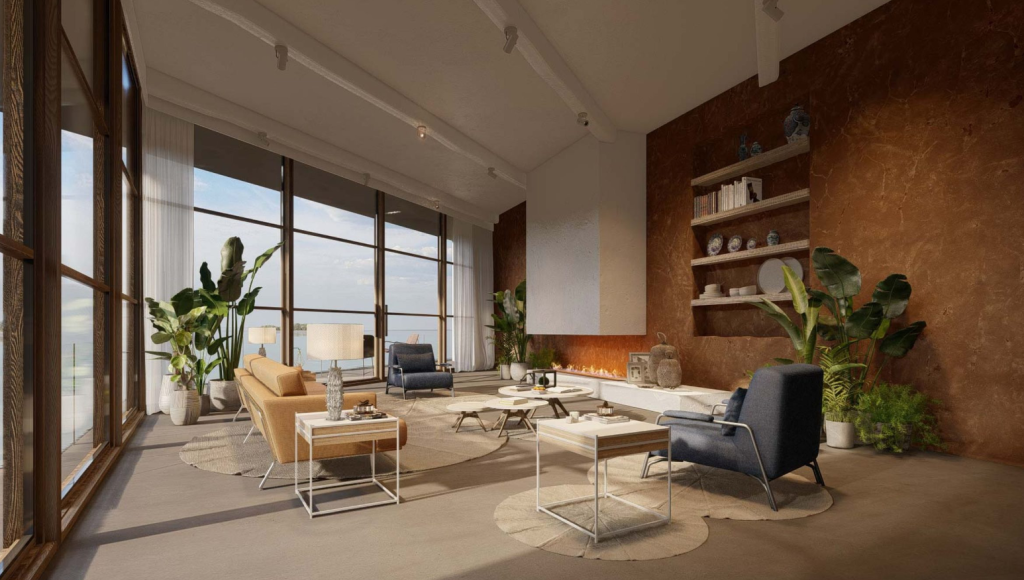
Rendering interiors in Lumion can be challenging, especially when working in small spaces, where every angle and light source has a major impact on the final result. However, Lumion’s latest versions make it possible to achieve warm, realistic, and well-lit images even in compact environments.

In this guide, you’ll find professional techniques for interior rendering in Lumion, including model preparation, lighting, materials, optimization, and camera tips. And remember: Aufiero Informática is an official Lumion reseller in Latin America, offering genuine licenses and expert advice.

Preparing the Model: The Foundation of a Good Interior Render

Before opening Lumion, the work begins in your modeling software—SketchUp, Archicad, Rhino, Revit, etc. Small interiors require a clean and well-organized structure.

1. Maintain accurate scale

In tight spaces, a 5 cm mistake can drastically affect perception. Double-check doors, heights, and wall thicknesses.

2. Separate objects by material

The cleaner the model, the easier it is to adjust materials inside Lumion.

3. Simplify hidden geometry

Anything not visible from the camera can be reduced or removed to improve performance.

Lighting: The Most Important Factor in Lumion Interior Renders

Lighting makes or breaks an interior scene. In small spaces, controlling light correctly is essential for realism.

1. Enhance natural light

  • Increase window openings for brighter, editorial-style renders.
  • Use Sky and Sun to control the time of day and sun angle.
  • Add Area Lights in front of windows to simulate soft light bounce.

2. Avoid dark interiors

To prevent flat or muddy renders:

  • Slightly increase Ambient Light.
  • Use Fill Lights to soften harsh shadows.
  • Preview scenes in Realistic or High mode.

3. Mix artificial and natural light

For a balanced atmosphere:

  • Use Spotlights with wide aperture.
  • Adjust Kelvin color temperature to avoid overly warm tones.
  • Reproduce real fixtures for consistent lighting design.

Materials: Achieving Realistic Surfaces in Small Spaces

Interior surfaces become focal points in tight spaces. Lumion’s PBR materials, normal maps, and displacement options help elevate realism.

1. Use high-quality textures

Small spaces reveal texture details:

  • Choose PBR materials with full map sets.
  • Adjust glossiness and reflectivity carefully.

2. Correctly scale materials

Oversized tiles or wood grains ruin realism. Adjust scale inside Lumion to match real proportions.

3. Add imperfections

Perfect surfaces look fake:

  • Use Weathering for wood and concrete.
  • Apply Edges to soften sharp corners.
  • Introduce subtle tonal variation to break repetition.

Decor and Assets: Less Is More in Small Interiors

Lumion offers a huge asset library, but small spaces require restraint.

1. Choose a few well-placed objects

Examples:

  • A high-quality sofa
  • A table with one or two accessories
  • A plant to add life

Avoid overfilling the scene.

2. Prefer HD or premium assets

Higher-quality furniture or decor improves realism instantly.

3. Avoid scaling inconsistencies

Imported models often require size adjustments.

Camera and Composition: Making Small Spaces Look Bigger

The camera is key to avoiding cramped-looking renders.

1. Use focal lengths between 18 mm and 25 mm

Too wide = distortion
Too narrow = flattened space
Aim for a natural balance.

2. Raise the camera slightly

Heights around 1.20–1.40 m often create pleasing compositions.

3. Use guiding lines

Floor and wall lines should lead the eye toward your focal point.

Optimization Tips for Heavy Interior Scenes

To keep Lumion running smoothly:

  • Disable shadows on lights that don’t affect the final shot.
  • Use proxy materials for distant objects.
  • Limit the use of 3D plants indoors.
  • Turn off global effects during editing.

Best Lumion Effects for Interior Rendering

1. Real Skies suitable for interiors

Choose soft, neutral skies.

2. Global Illumination

Essential for natural light bounce.

3. Exposure + Color Correction

Fine-tune the balance of light and shadow.

4. Reflection Planes

Use them on floors, glass, and glossy surfaces.

5. Hyperlight

Adds smooth, natural light ambience.

Conclusion: Lumion Is an Ideal Tool for Small Interior Rendering

Rendering compact interiors requires skillful lighting, good material workflow and careful composition. Lumion provides all the tools needed to achieve professional, photorealistic results.

For original licenses, upgrades, or technical advice, Aufiero Informática can assist you as an official Lumion reseller, with support in Spanish and Portuguese.
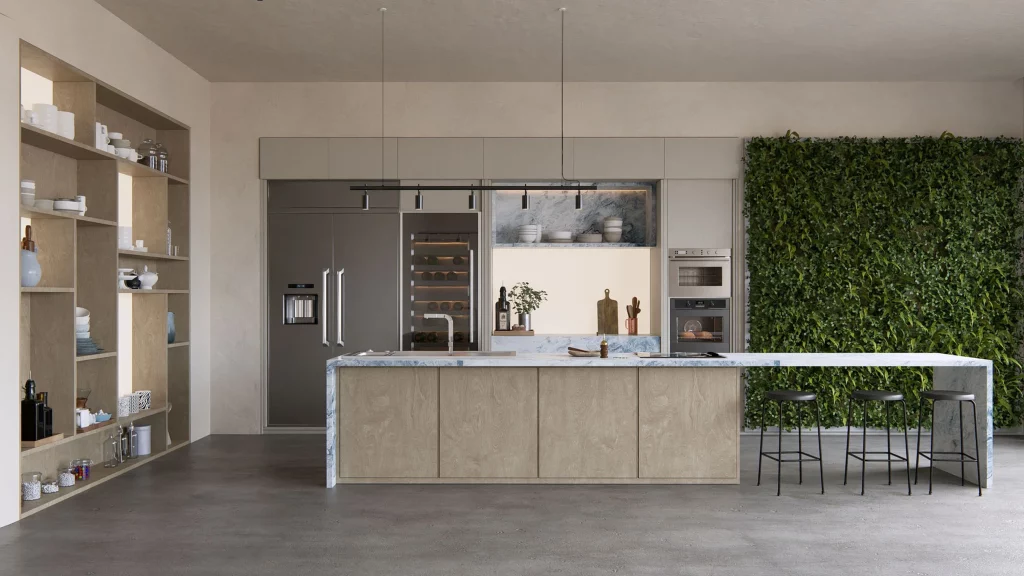
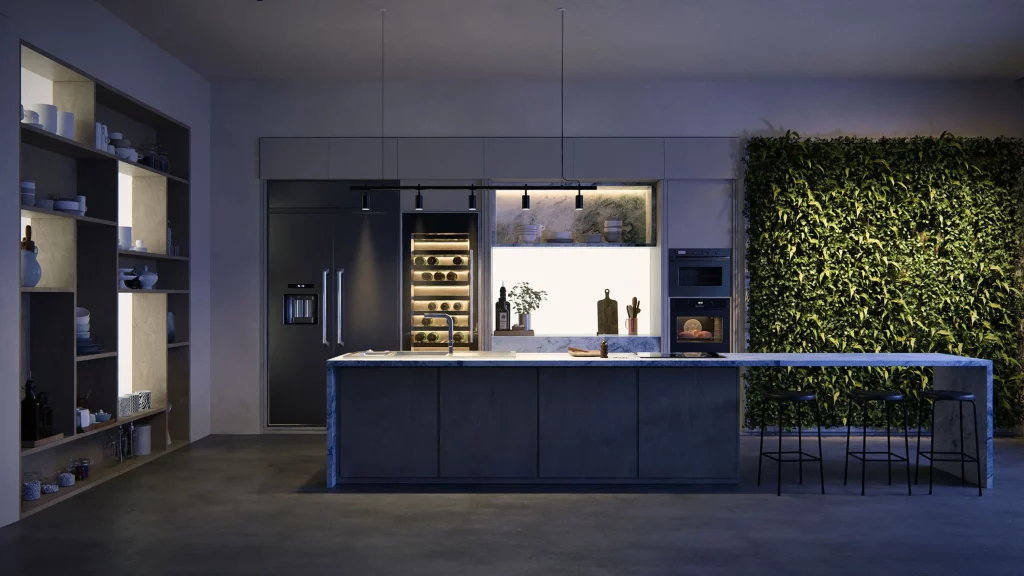
Table of Contents

Lavabos modernos

Explora los nuevos fregaderos de acero inoxidable ahora disponibles en la Biblioteca Lumion.

Nuevos objetos y electrodomésticos

Combine fácilmente los nuevos objetos y electrodomésticos para crear elegantes diseños de cocina que se adapten a sus necesidades.

Estantes y menaje de cocina

Los nuevos objetos de cocina vienen en variedad de materiales (vidrio, porcelana, cerámica, madera y metal) brindándote mayores opciones para combinar y contrastar diferentes estilos y estéticas.

Iluminación Día Noche

Transfiera fácilmente de la luz natural a la artificial para transmitir diferentes estados de ánimo en diferentes momentos del día.

Lumion-Design
Lumion-Design01

Textures and decals

Easily change the texture of any surface, add road markings, or show imperfections with surface decals.

Materiales

Con miles de materiales de alta calidad, podrás encontrar fácilmente la textura adecuada para cada superficie exterior o importar las tuyas propias.

Nature items

Create beautifully accurate landscape designs with Lumion’s wide selection of fine-detail nature, small plants, flowers, weeds, shrubs, and more.

Reflections

Achieve greater realism with lifelike reflections that appear exactly where they would in real life.

Materials and textures

Add a touch of realism to your surfaces with thousands of high-quality materials. Choose the perfect stone, brick, or wood, customize its properties, or import your own textures.

Nature

Breathe life into your design with thousands of nature items, from the smallest shrubs to the tallest trees.rees.

Terrain Context

Shape the landscape surrounding your architectural design by adding fields, mountains, and oceans at the touch of a button.

You can easily import your own custom models to give your terrains a more distinctive look.

High-quality materials

Lumion comes with a wide collection of high-quality materials that make it easy to add texture and realism to your interior surfaces.

Volumetric fire

Cast a feeling of coziness and warmth over your interior renders with easy-to-apply volumetric fire objects.

Furniture and objects

Convey the unique personality and style of each space with thousands of interior furniture, objects, plants, and decorations.

Texturas e adesivos

Altere facilmente a textura de qualquer superfície, adicione placas de sinalização ou mostre imperfeições com adesivos de acabamento.

Materiais

Com milhares de materiais de alta qualidade, você pode encontrar facilmente a textura certa para cada superfície externa ou importar a sua própria.

Itens da natureza

Crie projetos de jardins lindamente precisos com a ampla seleção do Lumion de detalhes minuciosos da natureza, pequenas plantas, flores, ervas daninhas, arbustos e muito mais.

Real Skies

It takes a single click to go from a clear blue morning to a stormy afternoon or an unforgettable sunset.

Whichever mood you want to convey in your architectural renderings, you can pick from any of the 59 HDRI skies available in Lumion and instantly see the result.

Reflexos

Obtenha maior realismo com efeitos de reflexo realistas que aparecem exatamente onde apareceriam na vida real.

Materiais e texturas

Dê um toque de realismo às suas superfícies com milhares de materiais de alta qualidade.

Escolha a pedra, o tijolo ou a madeira perfeita, personalize suas propriedades ou importe suas próprias texturas.

Natureza

Dê vida ao seu projeto com milhares de itens da natureza, desde os menores arbustos até as árvores mais altas. 

Contexto do cenário

Molde a paisagem ao redor do seu projeto arquitetônico adicionando campos, montanhas e oceanos com o toque de um botão.

Você pode importar facilmente seus próprios modelos personalizados para dar aos seus cenários uma aparência distinta.

Materiais de alta qualidade

O Lumion vem com uma ampla coleção de materiais de alta qualidade que facilitam a adição de textura e realismo às superfícies de seus interiores.

Fogo vultuoso

Transmita uma sensação de aconchego e calor em suas renderizações de interiores com objetos de fogo vultuoso fáceis de aplicar.

Móveis e objetos

Transmita a personalidade e o estilo exclusivos de cada espaço com milhares de móveis, objetos, plantas e decorações de interiores.

Materials

With thousands of high-quality materials, you can easily find the right texture for every outdoor surface, or import your own.