Every architect knows this sequence: the model is ready in SketchUp, Revit, or Archicad, a view is exported, it is taken to Illustrator or Photoshop, and arrows, zones, and labels are drawn by hand. The result looks good. Then the project changes, and the entire diagram has to be redone from scratch. Not because the previous work was bad, but because it lived outside the model. The moment the project advanced, the diagram became outdated.
Axogram, the new Lumion plugin, solves that problem at the source: it builds diagrams inside the model, in SketchUp, Revit, or Archicad itself. The axonometric view, circulation arrows, program zones, explanatory sections, and labels are built on the existing geometry, not on a separate graphic layer that ages on its own. When the project changes, the diagram follows. And it has a free version to try before deciding.
What Is Axogram and What Sets It Apart From Traditional Graphic Tools
Axogram is a real-time architectural diagramming plugin that runs inside the modeling software. That distinction is fundamental: it is not a separate program that receives model exports, but an extension that operates on the geometry open in SketchUp, Revit, or Archicad. The practical difference is that the diagram is linked to the model, not to a fixed view exported at a specific moment in the process.
The diagram and the render answer different questions. The render answers how the project will look: materials, light, atmosphere, texture. The diagram answers why the project works: circulation flow, relationship with the environment, spatial sequence, architectural concept. Axogram is designed for that second question, with a specific set of tools for representing project reasoning.
It is a standalone product, with Lumion Cloud included, not a complement or a reduced version of Lumion Pro. Teams already using Lumion Pro gain a complementary diagramming workflow; those who do not can start directly with Axogram. The license is per named user. Axogram replaces Lumion View, which was discontinued.
Main Features: From Model to Diagram Without Switching Environments
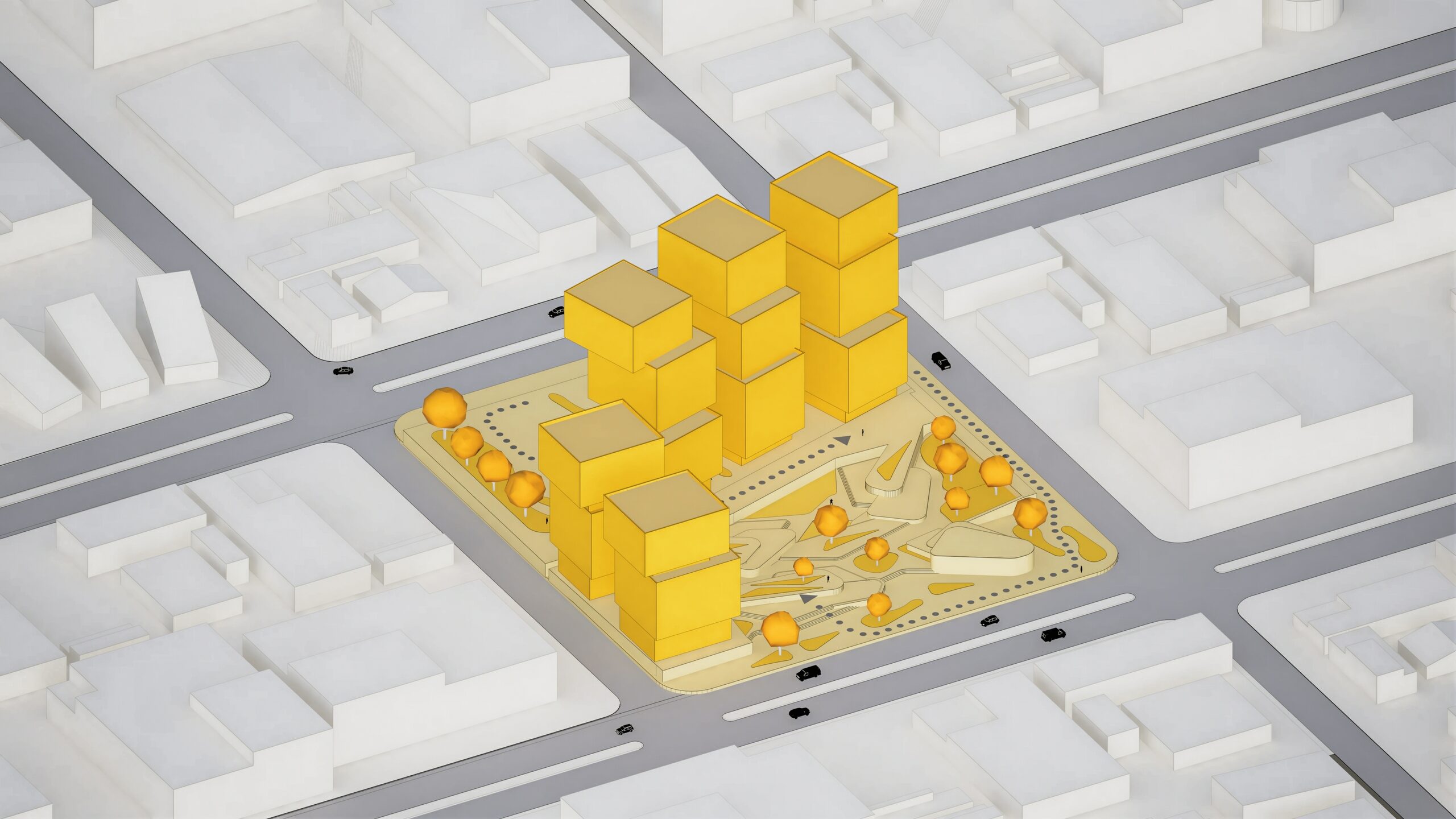
The core of Axogram is the ability to build diagram elements directly on the open model. Arrows, zones, labels, and markers are added on top of the existing geometry, without needing to export a view or work in a separate file. That workflow eliminates the reconversion layer that consumes time in the traditional process: export, open in the graphic program, redraw the elements, export the result.
The six diagram types provided by the manufacturer are basic, sequence, context, section, circulation, and presentation. Each addresses a specific need in the design process: the circulation diagram explains movement, the section diagram exposes the cut, the context diagram places the project in its environment, the sequence diagram shows construction logic. All are built inside the same model and organized in the Diagram Deck.
The Diagram Deck is the system that organizes multiple diagram states within the same project. Site plan, sections, construction sequence, circulation, and presentation views coexist linked to the same model. That allows assembling the complete sheet at once, updating each view when the model changes, and sharing the set without heavy file exchange, directly from Lumion Cloud.
Axogram includes eight architectural styles ready to use: Blueprint, Clay, Dual Tone, Ink, Polar, Realistic, Soft Vibe, and Wood. The Style Mixer allows combining different styles by material group on the same sheet: structure in Ink and vegetation in Clay, for example. That mixing capability resolves a frequent need in architecture presentations where different construction systems or materials need to be visually differentiated.
Action Shapes are three-dimensional arrows and paths that follow the model geometry. They are the specific resource for circulation diagrams and access routes: instead of redrawing arrows in each exported view, they are built once on the model and maintained across all Diagram Deck views. Export includes transparent background output, for assembling the sheet without post-production clipping work.
Axonometric Views in SketchUp, Revit and Archicad: How the Plugin Solves It
The axonometric view is the most frequent representation type in the architecture sheet for presenting the project as a whole: plan, section, and facade in a single view. Doing it well in an external graphic tool requires exporting the correct model view, building the composition in Illustrator or similar, and manually adding diagram elements. When the project changes, that process repeats from the beginning.
With Axogram, the axonometric view is defined inside SketchUp, Revit, or Archicad itself, the corresponding style is applied, and diagram elements are added on top of the existing geometry. The view is saved in the Diagram Deck and is linked to the current model geometry, not to a fixed capture from an earlier point in the process. When the model changes, the diagram reflects the updated geometry.
The result is an axonometric diagram that can show the construction sequence, circulation flow, or relationship with the context, all within the same model file, with plugin graphic elements overlaid on the geometry. For competitions, preliminary designs, and client presentations, that ability to compose the sheet directly from the model significantly reduces the time between project progress and presentation update.
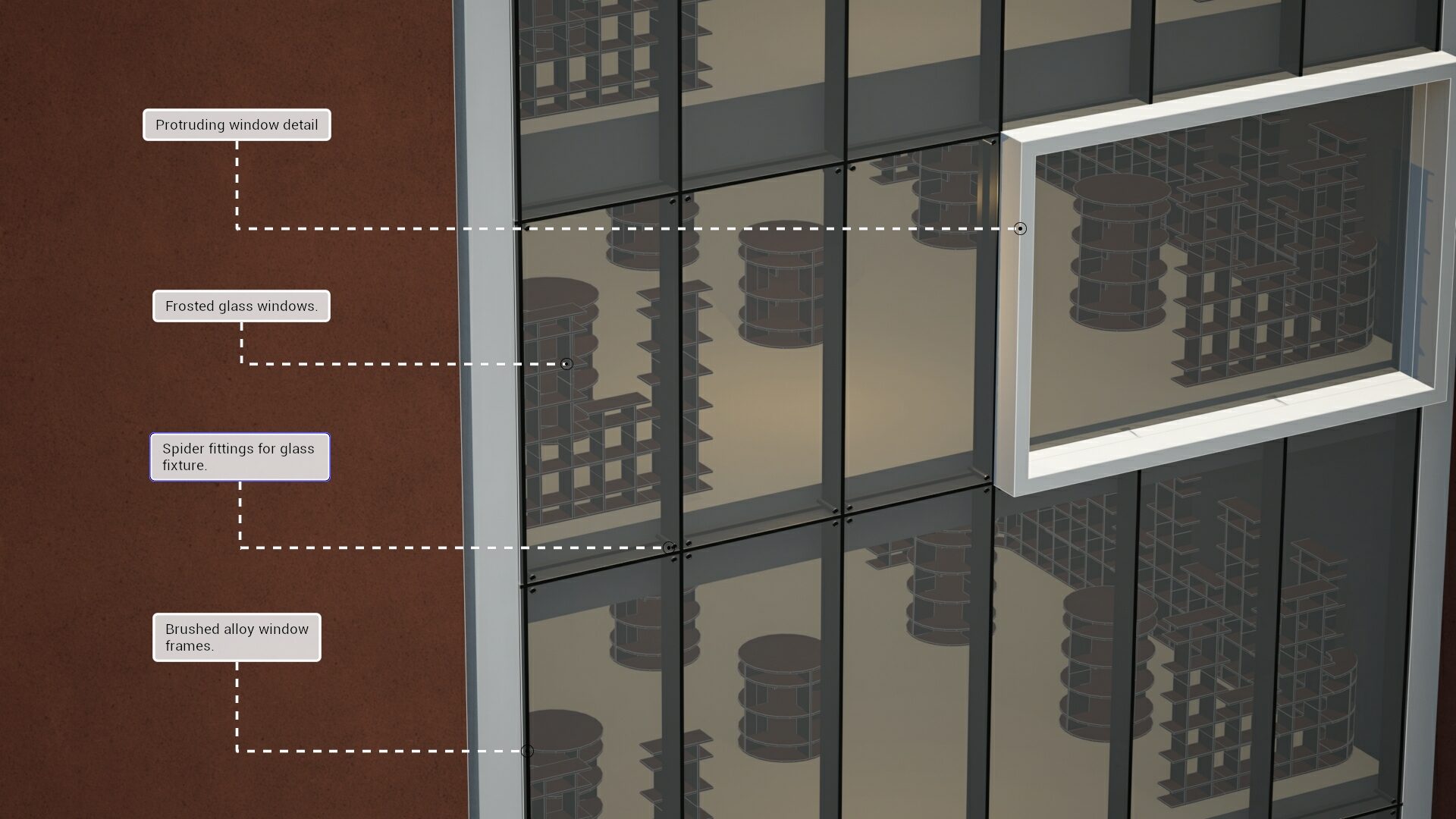
The Free Version: What It Includes and What Its Limits Are
Axogram has a free version that gives full access to all plugin features, including all eight styles, Action Shapes, the Diagram Deck, and Lumion Cloud publishing. The free version limits are three: up to five diagram views in the Diagram Deck, Full HD output, and a watermark on exports.
Those limits are designed to allow a team to run a complete project and measure the real gain before deciding. Five views in Full HD are enough to assemble a competition or preliminary design sheet with axonometric view, circulation plan, explanatory section, and context view. The watermark identifies the evaluation version but does not limit the functionality or result quality at that resolution.
The paid version unlocks unlimited views in the Diagram Deck, export up to 4K without watermark, and without diagram quantity limits. For studios with high presentation volume or needing higher resolution for large-format printing, that difference matters. The free version comfortably covers the needs of the student building their architecture portfolio and the independent architect with medium-scale projects.
Use Cases: Where Axogram Generates the Most Value
In preliminary and concept design, the diagram changes most. Every revision of the architectural concept, every site adjustment, every circulation modification means updating the diagrams. With the traditional workflow, that update is graphic work competing with design time. With Axogram, mass, site, and concept diagrams are linked to the model and follow each revision without rebuilding the presentation from scratch.
In architecture competitions, the sheet is diagram before render. The exploded axonometric, construction sequence, circulation diagram, and context relationship are the elements that determine jury reading. Diagram quality communicates clarity of project reasoning. Axogram delivers that quality level inside the model, without the additional Illustrator layer.
In presentations to non-technical clients, the diagram is the bridge. Someone who cannot read plans understands a circulation arrow, a colored zone showing program distribution, an access marker. Circulation and sun path diagrams allow the client to understand and approve the project logic before evaluating the render. A more informed approval reduces the cycle of subsequent revisions.
In landscape architecture, urban design, and education, context, movement, and relationship with the environment diagrams are the project itself. Axogram covers those cases with the plugin specific diagram types, and the free version serves the student and recent graduate building their portfolio.
Axogram With Aufiero Informatica
Axogram is a Lumion plugin distributed by Aufiero Informatica, the official Lumion distributor in Latin America. For teams that had a Lumion View subscription and need to migrate to Axogram, Aufiero accompanies the transition.
If your team works with preliminary design, competitions, or client presentations and the diagram is part of the workflow, Aufiero can advise you on evaluating and implementing Axogram for your studio specific context.
Frequently Asked Questions About Axogram
Is Axogram a free plugin for SketchUp?
Yes, a free version is available for SketchUp, Revit, and Archicad, with access to all plugin features. The free version limits are up to five diagram views in the Diagram Deck, Full HD output, and a watermark on exports. The paid version unlocks unlimited views, export up to 4K, and no watermark.
What is the difference between Axogram and Lumion Pro?
Lumion Pro answers how the project will look, with photorealistic rendering and animation. Axogram answers how the project works and why, with arrows, zones, labels, and sections built inside the model. They are distinct and complementary products. Axogram is standalone, with Lumion Cloud included, and does not require Lumion Pro.
Does Axogram replace Lumion View?
Yes. Lumion View was discontinued and Axogram takes its place. Those who had a View subscription need to migrate to Axogram. Aufiero Informatica accompanies the transition.
How do you create an axonometric view in SketchUp with Axogram?
With the model open in SketchUp, the plugin allows defining the axonometric view, applying one of the eight available styles, and adding arrows, zones, and labels directly on the geometry. The view is saved in the Diagram Deck and remains linked to the model.
Does Axogram work on Mac?
Not yet. The plugin is available for Windows in SketchUp, Revit, and Archicad. The macOS version for SketchUp is announced by the manufacturer as coming soon.
How many diagrams does the free version allow?
Up to five diagram views in the Diagram Deck, with Full HD output and watermark. The paid version unlocks unlimited views, export up to 4K, and no watermark. The license is per named user in both versions.
The diagram that has to be redone with every project change is not a graphic tool problem: it is a workflow architecture problem. As long as axonometric views and diagrams live outside the model, they will keep becoming outdated. Axogram solves it at the right point, inside SketchUp, Revit, and Archicad, linked to the geometry that changes. The free version lets you install it, assemble a complete sheet, and measure the gain before any purchase decision.
Aufiero Informatica is the official Lumion distributor in Latin America.